Does the Workhand mileage tracker use GPS to log trips automatically?
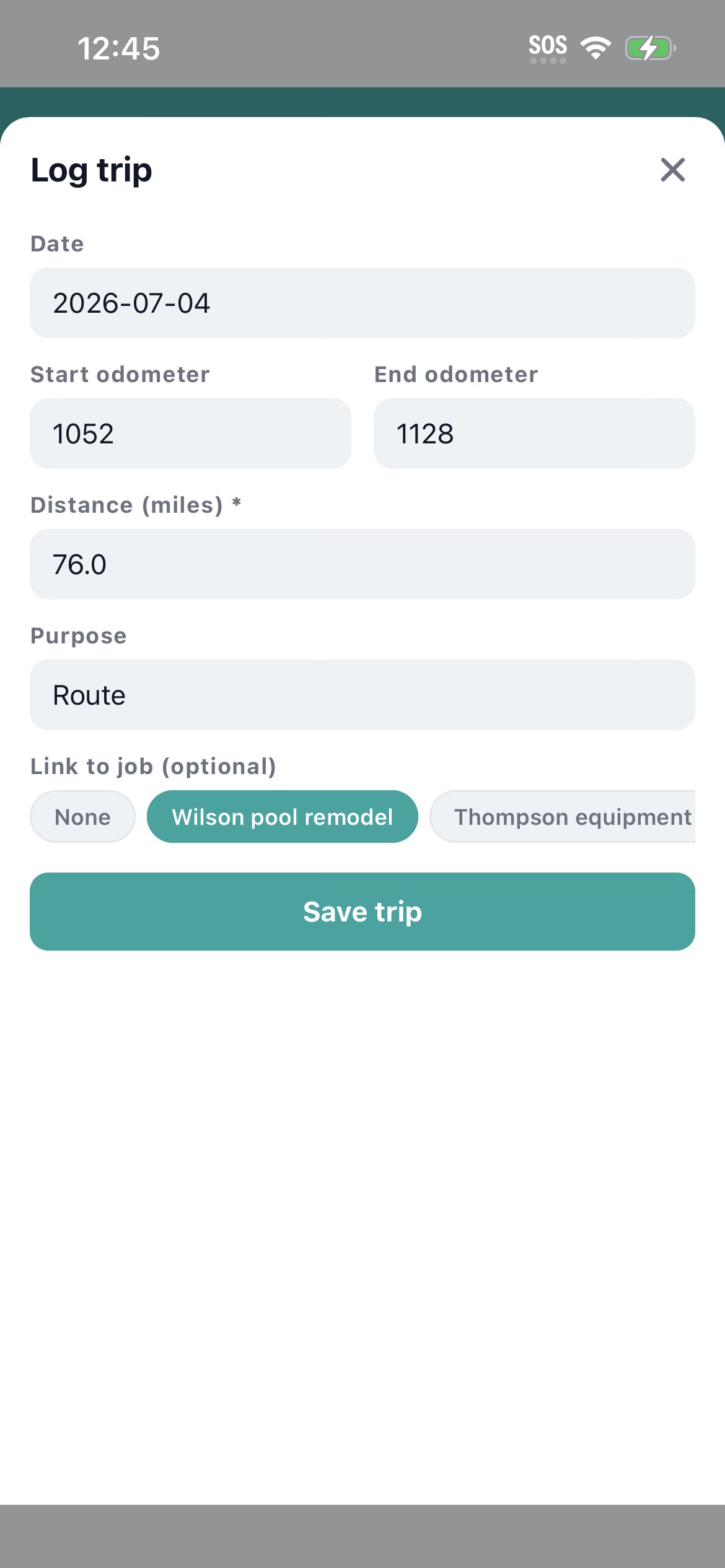
No. Mileage is manual entry, the same way IRS-defensible mileage logs were before GPS apps. The contractor enters start address, end address, and distance (or odometer start and end) on each trip. We deliberately do not auto-detect drives. Auto-detected mileage tools generate sloppy logs that mix business and personal driving, which is exactly the kind of evidence an IRS auditor reclassifies as personal. Manual entry produces a clean log that holds up.
What IRS mileage rate does Workhand apply?
Workhand applies the current IRS standard business mileage rate, which is 0.67 per mile for 2025 (updated annually by the IRS). The summary view shows the total miles and the deduction value calculated at the current rate. If the rate changes mid-year, Workhand updates the calculation for the affected period so the math stays accurate.
Can my employees log their own mileage?
Yes. Employee role can log their own trips and only see their own mileage history. Owner and admin (PM) roles see the company-wide mileage ledger with trips broken out per driver. This means each helper logs their own travel for the day instead of you reconstructing where everybody went on Friday. Reimbursable hours mileage works the same way as billable time tracking.
Does mileage tracking work offline?
Yes. Trip entry, save, and edit all work without signal. The mileage entry queues locally and syncs the second the device gets connection back. This matters because most of a contractor's driving happens in places where signal is fine, but the supply yard at the back of the lot or the rural jobsite often is not. The offline queue catches the trip in the moment, not three days later when you remember.
Can I tie mileage to a specific job?
Yes. Each mileage entry has an optional job field. If you tie the trip to a job, the deductible value rolls into the job costing view alongside materials, labor, and other costs. This is the right way to do mileage on cost-plus jobs and on any build where you bill mileage back to the customer. For trips not tied to a specific job (supply run for general inventory, dump trailer haul, office errand), leave the job field blank.
How do I export mileage for my accountant?
CSV export from the mileage screen with date range filter. The export includes date, driver, start address, end address, distance, deductible value at the IRS rate, job link if any, and purpose notes. Most accountants want exactly this format. Total miles and total deduction value sum at the bottom so the headline number is on the first row, not buried in formulas.
What about odometer readings versus distance entry?
Both supported. Some contractors prefer entering start and end odometer readings (more defensible in an audit), some prefer just the distance number (faster). Workhand accepts either. If you enter odometer start and end, the distance is calculated automatically. If you enter just the distance, the odometer fields stay blank. Pick the style your accountant likes and stick with it.
Does mileage tracking cost extra on Workhand?
No. Mileage tracking is included on every plan, including Free. Free supports 1 active job and 1 team member. Pro at 34.99 per month adds unlimited jobs. Team at 89.99 per month supports up to 15 users so the whole crew can log their own mileage from their own phones.