New: desktop dashboard, Sales role, full Spanish + Portuguese. Open the dashboard →
Home · Who We Serve · Remodelers
For remodelers

Kitchen, bath, addition. Every selection signed off, every day logged.

Selections sheet for paint, cabinets, countertops, tile, appliances, and fixtures. Change orders signed on the spot. Daily photo updates land on the homeowner's portal. No more "I never picked that color."

Free forever plan. No credit card.
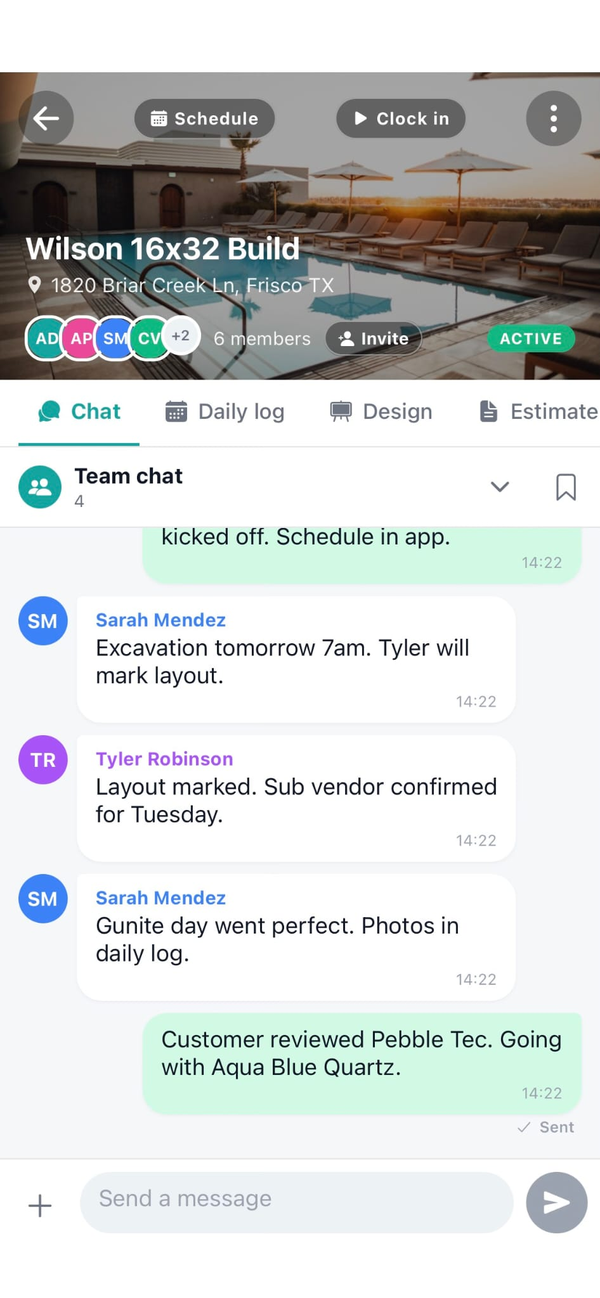
Workhand job chat with remodeler crew and homeowner
Made for remodelers

Selections, change orders, and the daily update

Selections sheet

Paint, flooring, tile, cabinets, hardware, countertops, lighting, fixtures, appliances. Photo reference, vendor, SKU, and signoff date per line. Kills the "I never picked that color" fight three months in.

Change orders signed same-day

Homeowner adds a scope. You draft the change order on the phone, they e-sign right there. Lands on the job total and flows to the next draw invoice.

Photo annotations

Tap a photo, draw arrows, drop pins, add labels. "Outlet moves here." "Existing drywall damage here." Annotated version saves next to the original.

Customer portal, daily updates

Homeowner sees today's photos, this week's phase, and the selections they signed. One shareable link, no login, no app install.

Milestone draws

Deposit, demo done, drywall, trim, final. Mark the milestone on your phone, Workhand generates the invoice. Customer pays online.

Reviews on autopilot

Job closes, Workhand asks the homeowner for a review. Five-star ones get pushed to Google. Anything less lands in your inbox first.

Every job, every phase

Demo to final walkthrough

1

Existing conditions

Before-demo photos of every wall and floor. Annotate anything you'll get accused of later. Deposit invoice sent same day the contract signs.

2

Demo and rough-in

Plumbing and electrical rough. Inspection photos captured. Any surprises land as a change order signed on the spot.

3

Drywall and paint

Second draw invoice at drywall. Paint colors locked from the selections sheet. Cutline photos on the portal so the homeowner sees the progress.

4

Cabinets and counters

Cabinet install, template for stone, countertop set. Every SKU pulled from selections so there's no back-and-forth with the vendor.

5

Tile, trim, fixtures

Tile setter, trim carpenter, plumber for fixture set, electrician for trim. Photos posted, punch list opens.

6

Punch and handover

Punch list cleared item by item. Homeowner walks the job. Final draw invoice. Review request auto-fires. Warranty period starts.

Selections sheet, deep dive

Every finish, signed off in writing

Add a category (paint, flooring, cabinetry, hardware, countertops, lighting, fixtures, appliances). Add the specific pick with a photo, vendor, and SKU. Customer signs off with a date. When the argument comes three months in, you pull up the signed line.

  • Nine default categories, add your own
  • Photo reference, vendor, SKU per line
  • Customer signoff date stamped on every pick
  • Shared to the customer portal so they see what they signed
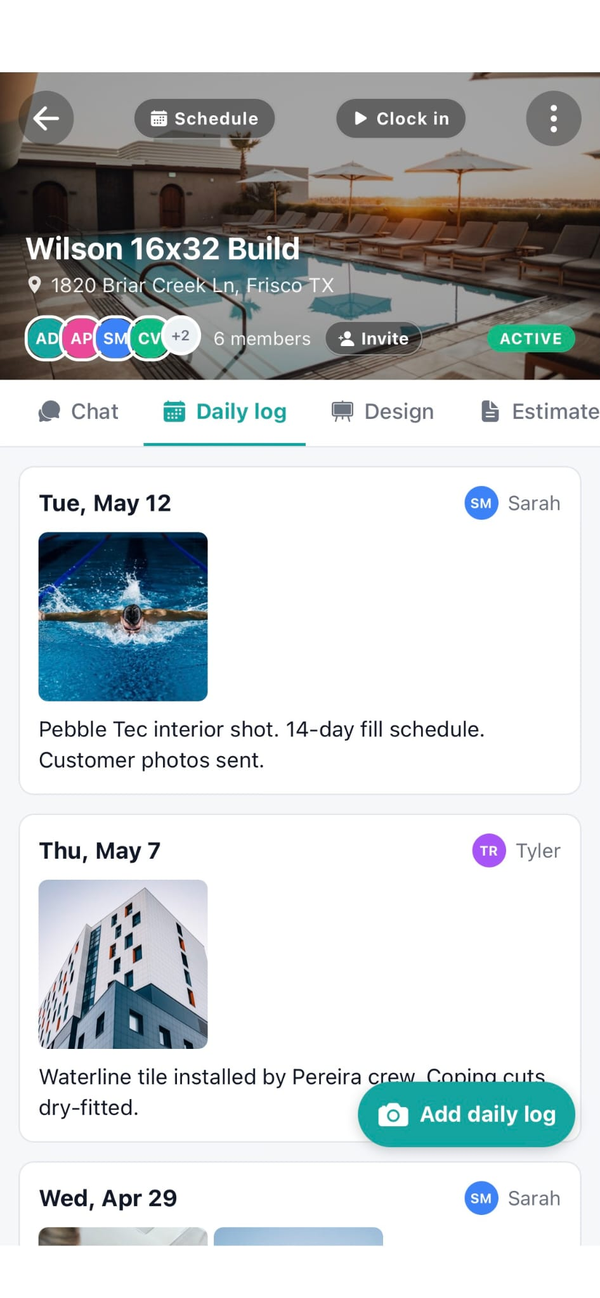
Workhand daily log on a kitchen remodel
Also serves

Trades that work alongside remodelers

Frequently asked

Questions remodelers ask

Is Workhand a Buildertrend replacement?
Partly. We cover the everyday remodeler workflow (estimates, change orders, milestone invoicing, daily logs, photo annotations, crew chat, selections) at a fraction of the price. Buildertrend goes deeper on formal AIA draw schedules, selection libraries with hundreds of catalog imports, and integrated email marketing. If you do 1 to 5 active remodels at a time and don't need bank-funded AIA draws, Workhand fits. If you do 15 active projects with a full-time office manager living in the software, Buildertrend is worth the price tag.
Can I annotate photos with arrows and notes?
Yes. Tap any photo in the job, draw arrows, drop pins, and add labels (Paint color here, Outlet move here, Existing drywall damage here). The annotated version saves with the original. Useful for existing-conditions photos before demo and for change order conversations later.
How does the customer selections workflow work?
Each job has a selections sheet. You add categories (paint, flooring, tile, cabinetry, hardware, countertops, lighting, fixtures, appliances) and the customer signs off on each one with a photo reference, vendor, SKU, and signoff date. Eliminates the 'I never picked that color' argument three months in.
How are change orders handled?
Each change order is its own line on the job with its own e-signature and total. The original contract stays intact and the job total grows transparently as COs are added. When you invoice, change orders appear as separate line items so the customer sees exactly what they signed for.
Can I send a milestone invoice (deposit, rough-in, completion)?
Yes. Set up milestone-based invoicing on the job (deposit, demo complete, drywall, trim, final). Mark a milestone complete on your phone and Workhand generates the invoice for that draw. Customer pays online through Stripe Connect, money lands in your bank in two business days.
Run the next remodel on it. Free plan, no card.

Free forever plan handles your first job at $0 per month. 14-day full trial on Pro and Team. Cancel anytime in the app.