New: desktop dashboard, Sales role, full Spanish + Portuguese. Open the dashboard →
Home · Who We Serve · HVAC Contractors
For HVAC contractors

Changeouts, ducting, mini-splits, RTUs. Priced, installed, invoiced.

Load calcs on file. Equipment SKU, tonnage, refrigerant, and serial per install. Recurring maintenance invoices on autopilot. Time and mileage per job. Built for install-focused HVAC, not dispatch grid pure service.

Free forever plan. No credit card.
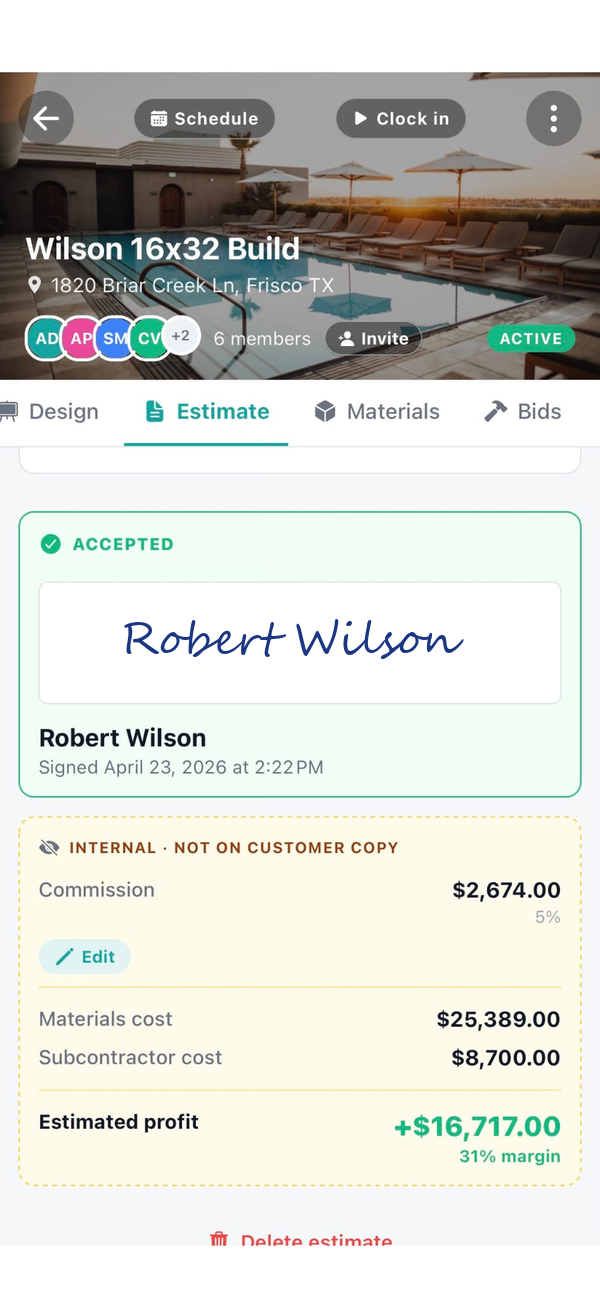
Workhand estimate on an HVAC changeout job
Made for HVAC

Load calcs, install kits, and the maintenance revenue after

Equipment SKU tracking

Make, model, serial, SKU, BTU or tonnage, refrigerant type, install date, warranty start. Logged on the job, pulled onto invoices, kept forever for the service call three years out.

Load calcs on file

Attach the Manual J calc to the job. Sizing math stays with the estimate and the install record. Homeowner asks why they got a 3-ton, you have the answer.

Recurring maintenance invoices

Spring tune-up, fall tune-up, quarterly commercial checks. Set the schedule once. Invoice auto-generates and emails on the right day. Customer pays online.

Time and mileage per job

Crew clocks in on the job site. Hours roll up per job for cost. Mileage between jobs auto-tracks with the IRS rate for the tax deduction.

Invoice from the truck

Mark the install complete, tap Invoice. Line items pull from the estimate plus any change orders signed on site. Emailed with a Pay Online button. Under a minute.

COI tracking for commercial work

GC needs your General Liability, Workers' Comp, and W-9 before you set foot on their site. 30/14/7 day expiration alerts so you never scramble.

Every job, every phase

Sizing, install, commissioning, service

1

Sizing and estimate

Manual J attached, static pressure noted, existing conditions photos. Estimate signed, deposit charged, equipment ordered. Install slotted.

2

Install day

Crew clocks in. Equipment SKUs, serials, and refrigerant charge logged. Photos on every stage: old unit out, pad in, air handler, condenser, linesets, thermostat.

3

Commissioning

Startup readings captured. Subcool and superheat, static, temperature split, thermostat programmed. Homeowner walkthrough. Warranty registration.

4

Invoice and pay

Tap Invoice from the truck. Line items pull from the signed estimate. Pay Online button on the email. Stripe funds hit your bank in two days.

5

Maintenance plan

Sign the customer on to a plan. Recurring invoice schedule kicks off. Spring and fall tune-ups auto-bill the day of the visit.

6

Service call, three years out

Customer calls with a warranty question. You pull the job. Equipment record, serial, warranty start, and startup log are still there.

Recurring service, deep dive

Maintenance revenue that bills itself

Every install ends with the maintenance plan pitch. Sign them on to a monthly, quarterly, semi-annual, or annual plan and Workhand generates the invoice on the right day. Customer pays online through Stripe Connect. Money lands in your bank in two business days.

  • Monthly, quarterly, semi-annual, annual schedules
  • Invoice auto-generates and emails on the right day
  • Stripe Connect at 2.9% + 30 cents, zero platform markup
  • Two business days to your bank on every payment
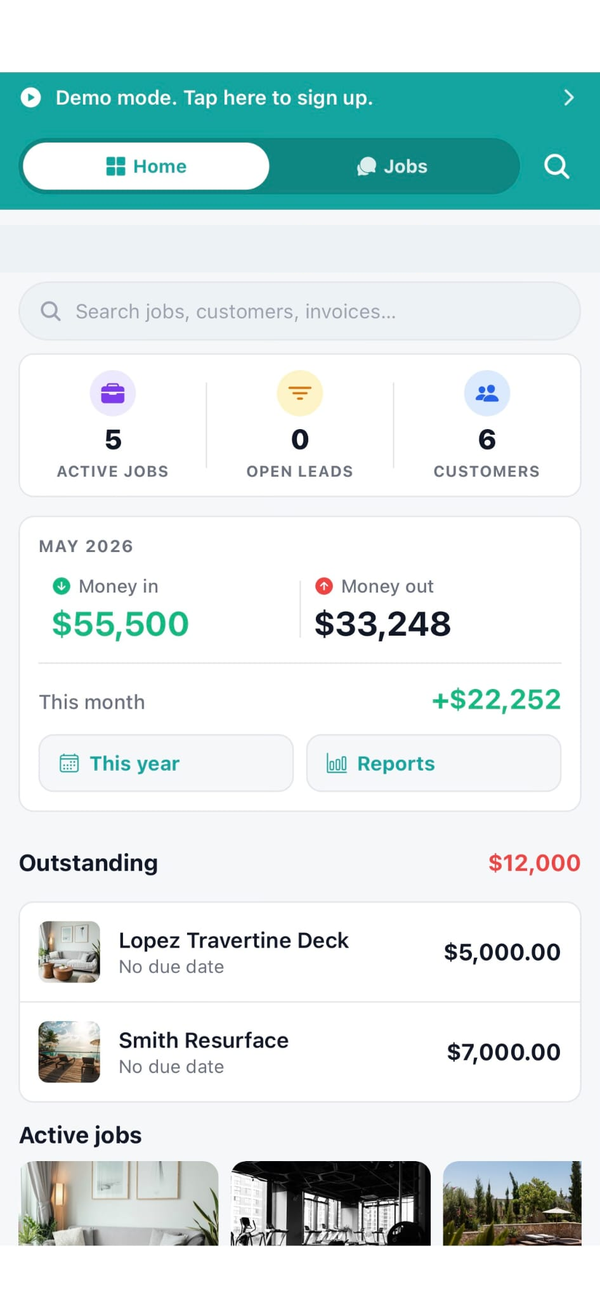
Workhand home dashboard for an HVAC contractor
Also serves

Trades that work alongside HVAC

Frequently asked

Questions HVAC contractors ask

Is Workhand a Housecall Pro replacement?
For dispatch-heavy pure-service HVAC, no. Housecall Pro and ServiceTitan are built tight around the dispatch grid, route optimization, and tech-on-tech assignment that pure service businesses run on. For HVAC contractors doing install and replacement work (changeouts, new construction ducting, mini-splits, commercial RTU installs) with some service tickets mixed in, Workhand is a better fit because the job runs as a project, not a one-hour ticket.
Can I send an invoice from the truck right after a job?
Yes. Mark the job complete in the app and tap Invoice. Workhand pulls the line items from the original estimate (with any change orders signed during the job), generates the invoice, and emails it to the customer with a Pay Online button if you have Stripe Connect enabled. From job complete to invoice sent is under a minute.
How does time tracking work for my install crews?
Each crew member clocks in and out from the job site on their phone. An active timer banner stays visible on their home screen until they clock out so nobody forgets. Hours roll up against each job for cost reporting and against the payroll period for export. Mileage between jobs logs automatically with IRS-rate math for the tax deduction.
Can I run recurring maintenance contracts?
Yes, for the recurring invoice side. Set up a recurring invoice schedule (monthly, quarterly, annual) and Workhand auto-generates the invoice and emails it on the right day. Customer pays online through Stripe Connect. We do not yet auto-schedule the visit itself onto the calendar (that's coming), so you'll still manually drop the maintenance visit on the calendar when it's due.
Can I track equipment serial numbers and SKUs?
Yes. Each install job has an equipment block where you log the make, model, serial number, SKU, BTU/tonnage, refrigerant type, install date, and warranty start. Pulls into invoices and the customer portal for the warranty trail. When a service call comes in three years later, the equipment record is still there.
Try it on your next changeout. Free plan, no card.

Free forever plan handles your first install at $0 per month. 14-day full trial on Pro and Team. Cancel anytime in the app.