Is Workhand a real CRM for contractors?
Yes, with a deliberate scope. Workhand has a sales pipeline tuned for the contractor sales cycle (new, contacted, qualified, estimate sent, won or lost), notes per lead, source tracking, win rate by source, and one-tap convert-to-customer when a lead says yes. It does not have the 200-feature SaaS-style automation of Salesforce or HubSpot. For most contractors under 15 employees, that is the right amount of CRM.
How is this different from a spreadsheet?
Three differences that matter. First, the pipeline lives in the same app as the estimates, invoices, and jobs, so the moment a lead converts to a customer the data flows automatically with no copy paste. Second, leads coming in from your public profile contact form land in the pipeline automatically with the source tagged, instead of you adding rows by hand. Third, the open-leads KPI lives on the dashboard so leads do not sit forgotten for two weeks the way they do in a spreadsheet that nobody opens.
Where do new leads come from?
Two main sources, plus manual entry. First, the public profile page at workhand.app/c/your-name has a contact form. Anyone who fills it out lands directly in your pipeline with the source tagged as your public profile. Second, manual entry on a call or referral takes about 20 seconds: name, phone, optional notes, estimated value. Any other inbound channel (Facebook, ads, referral) gets manual entry plus a custom source tag so you can track win rate by source over time.
Does Workhand auto-respond to new leads?
Yes. There is a lead auto-response template you configure once. When a new lead lands from the public profile form, Workhand emails them an auto-response within seconds. Most leads expect a same-hour response from a contractor they reach out to online, and an auto-response under 60 seconds buys you the time to follow up with a real call on your schedule instead of theirs.
How does convert-to-customer work?
When a lead moves to Won, a one-tap action converts the lead to a customer record. Their name, phone, email, and notes copy over. The lead source stays attached for win-rate analysis. You can then create the first job from the new customer with the same one-tap flow. Total time from lead to first invoice is about 90 seconds.
Can my sales rep use this on a phone?
Yes. The Sales role exists specifically for someone whose job is leads and estimates but not field operations. Sales role sees the pipeline, can create and edit leads, can build and send estimates, and cannot see costs, time, mileage, or financial reports. That keeps your salesperson focused on the funnel without exposing internal margins. Sales is on Pro and Team plans.
What is the pipeline value number on the dashboard?
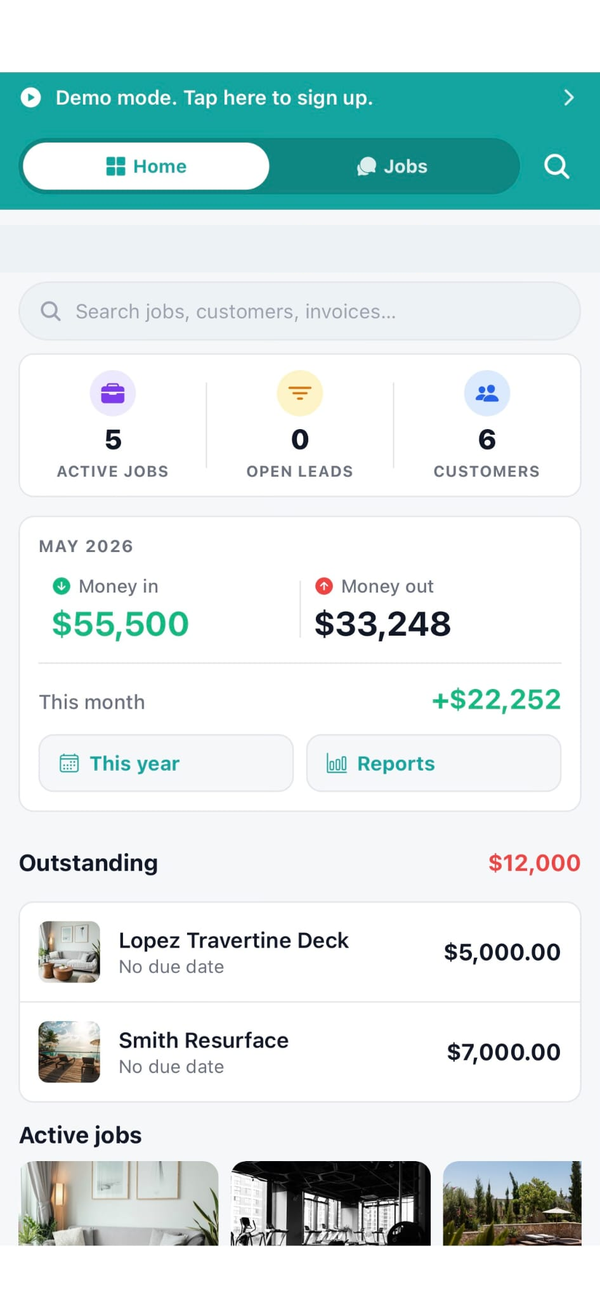
Pipeline value is the sum of estimated value across all leads that have not yet been marked won or lost. It is forecasted revenue. The number shows on the dashboard alongside the open leads KPI so you see the size of the funnel and how many you need to work this week. Won leads roll out of pipeline value once they convert because the actual revenue lives in the invoices section.
Does the lead pipeline cost extra on Workhand?
The lead pipeline is available on Pro at 34.99 per month and Team at 89.99 per month. Free plan focuses on running a single active job and does not include the pipeline. Once you start chasing more than one customer at a time, Pro pays for itself the first time it saves a lead from dying in your text inbox.