What is the best receipt scanner app for contractors?
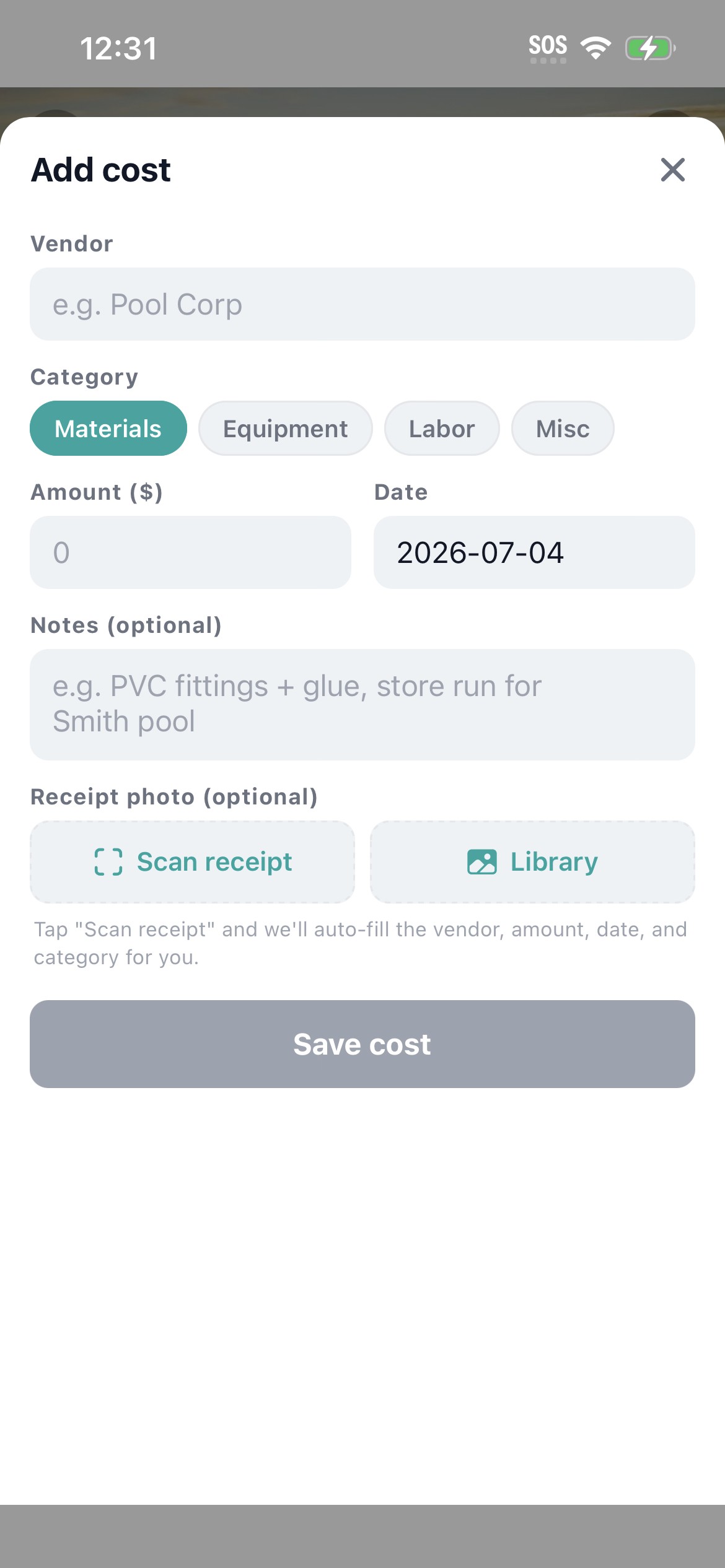
A good receipt scanner for contractors does three things. It captures the receipt with the phone camera, reads vendor and amount accurately on supply-yard receipts like Home Depot and Ferguson, and ties the cost to a specific job. Workhand does all three in one tap from inside the Costs tab of any job. Vision OCR runs on the image, the cost row gets created, and the receipt image gets stored next to it for the audit trail.
Does the Workhand receipt scanner work with QuickBooks Online?
Yes. Once you flip on the QuickBooks Online sync in Settings, every cost created from a scanned receipt flows into QBO automatically. Vendor, amount, date, and category map straight through. No copy paste. No second tool. The receipt image stays in Workhand as the backup, the line item lands in QBO for accounting.
How accurate is the AI receipt OCR?
Workhand uses Anthropic Claude vision OCR, which reads clear vendor receipts with high accuracy and surfaces a confidence indicator when it is unsure. The amount and date are nearly always correct on standard supply-yard receipts. Vendor name is reliable on the major chains. Category is a best guess from line items and is always editable before save. Wrinkled or faded receipts get a lower confidence flag so you know to double check.
Can I scan receipts from any vendor or just Home Depot and Lowes?
Any vendor. Workhand reads the receipt itself, not a database of known vendors. Home Depot, Lowes, Ferguson, Pool Corp, local supply yards, the gas station up the street, even handwritten receipts from a one-truck supplier. The OCR pulls what is on the paper. If a vendor uses an unusual receipt format and the confidence comes back low, you edit before saving and the next one trained against your edits gets closer.
What if the OCR misreads the amount or the vendor on my receipt?
The scanned values land in the same Add Cost form a manual entry would use, with every field editable. Wrong vendor, fix it. Wrong amount, fix it. Wrong category, tap a different one. Nothing saves until you tap Save. The receipt image stays attached either way so the audit trail is intact even if you typed the dollar amount yourself.
Does the receipt scanner cost extra on Workhand?
No. The receipt scanner is included on every plan, including Free. There is no per-scan fee, no monthly add-on, no tiered limit on scans per month. Pro at 34.99 per month and Team at 89.99 per month unlock unlimited jobs and more users, but the scanner is the same on Free.
Can I scan a receipt hours after the purchase or only at checkout?
Either. The most common use case is at the truck after leaving the supply yard, before the receipt ends up in the glove box. The second most common is end-of-day cleanup, when the contractor sits down with a stack of paper receipts and scans them all into the right jobs. The image just needs to be readable. Tomorrow morning works fine.
Where does Workhand store the scanned receipt image?
Receipt images are stored in Workhand's Supabase storage layer alongside the cost row. The image is private to your company and only accessible to users on your team with permission to see costs. It shows as a thumbnail on the cost row and opens full-size on tap, so February audits, 1099 backup, and customer questions about a charge all get the same answer in two taps.