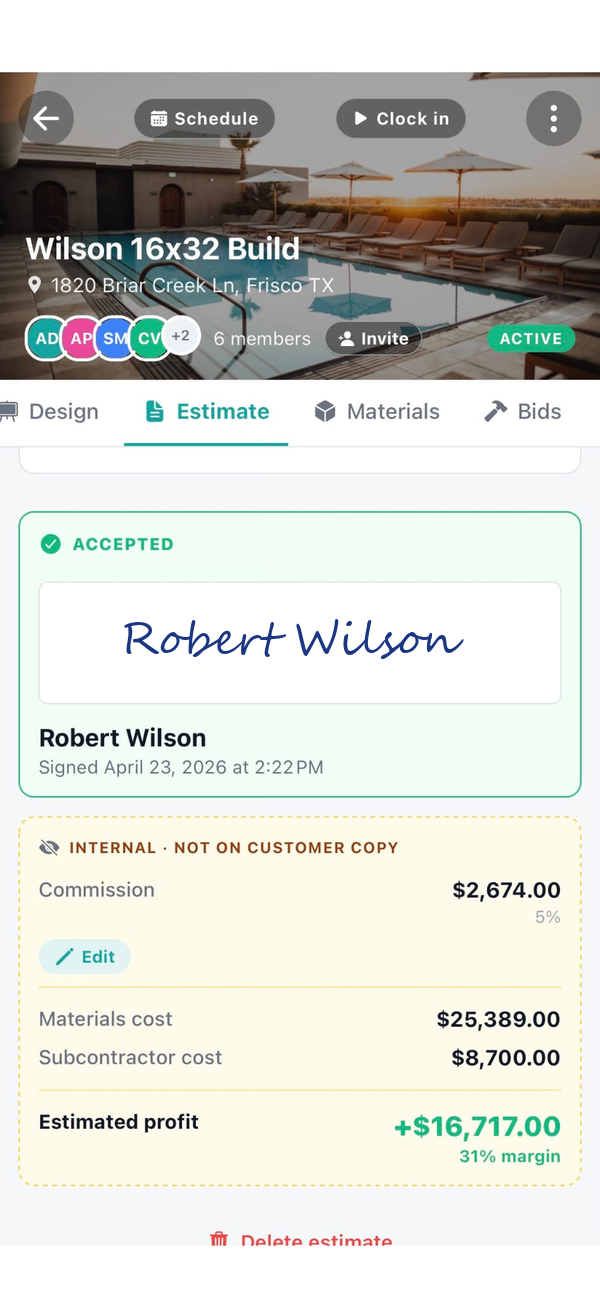
How does per-job profit tracking work in Workhand?
Every cost you log gets tagged to a job and a category. Materials, labor, subs, fuel, equipment, and other. Crew hours flow in from time tracking and convert to labor cost using the wage you set per worker. Workhand subtracts the running total from the estimate so you see live gross margin on the job page. When the job closes you see the final number with no spreadsheet work.
Why don't most contractors know their real profit per job?
Costs land in three places that never get rolled up. Material returns hit the credit card statement weeks later. Subcontractor invoices arrive after the job is closed. Fuel and small equipment rentals get coded as miscellaneous in QuickBooks. Without a per-job rollup that pulls every dollar back to the right job, the real margin only surfaces at tax time when it is too late to adjust pricing.
How is this different from QuickBooks job costing?
QuickBooks job costing lives at your desk and depends on your bookkeeper coding every transaction to the right job. Workhand lives in the field. Your crew logs costs on the phone while they are at the job, photo of the receipt attached, category preselected. The data is right the first time. QuickBooks integration is on the roadmap so the cleaned data can sync back to your accountant.
Does crew time tracking roll into job profit automatically?
Yes. When a worker clocks in to a job, the hours are tagged to that job. Workhand multiplies the hours by the wage you set for that worker and the labor cost shows up on the job rollup in real time. No separate timesheet to enter at the end of the week and no labor cost guessing.
Can I see profit by job type, not just per job?
Yes. The profit dashboard slices by job type so you can see, for example, that pool renovations are running 31 percent gross while new builds are running 22 percent gross. That tells you where to push your sales effort and where to raise prices. Most small contractors price every job from gut feel because they have never seen the breakdown.
What happens to material returns and late subcontractor invoices?
Both get logged as cost lines on the job whenever they actually happen. A return is logged as a negative material cost on the original job, so the rollup updates. A sub invoice received three weeks after the job closes still gets tagged to that job and the final profit recalculates. The job is never really closed for accounting purposes until every cost has landed.
Do photo receipts replace keeping the paper?
For day-to-day cost tracking, yes. Snap the receipt at the supply house, the photo attaches to the cost line on the job. For tax purposes most accountants still want originals or a clean digital archive, so plan to keep the paper or set up a regular export. The Workhand photo is your in-field record so the cost is logged before you lose the receipt.
How much does per-job profit tracking cost?
Included on every plan, including the Free plan. Free covers one active job at a time. Pro at $34.99 per month covers unlimited jobs for up to 5 users. Team at $89.99 per month covers up to 15 users. There is no separate add-on for cost tracking or the profit dashboard.